
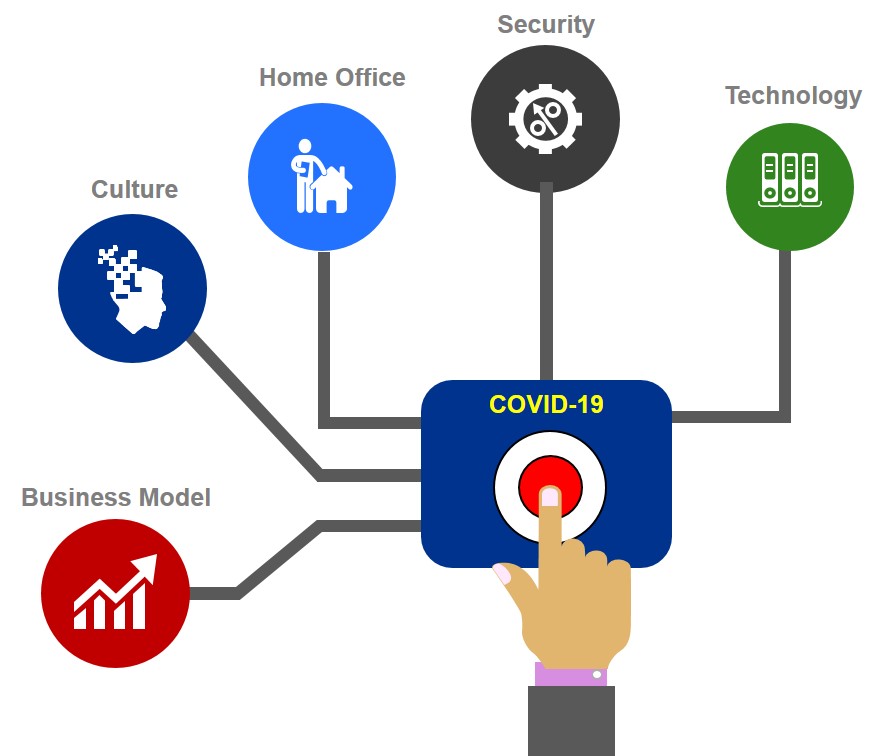
COVID-19 is spreading like wildfire and is forcing organisations to face the challenge of providing quick large scale virtual desktops to remote users. This will be the focus of this blog post where I will share an approach to how to quickly scale up and the factors to consider, based on past experience, leading EUC rapid response teams.
It is important to emphasize that there is more to scaling up than just technology to consider. Therefore, I will start with other factors that should be considered and conclude with technology.
Business Model
As a first consideration, organisations need to evaluate their business model. Does it support large scale, remote users? If the organisations run supermarkets or coffee shops where most employees have to be in store then large scale remote might not be applicable. Are there any blockers that can prevent certain employees from remote working? An example would be requirement for banks to record all trading related phone calls made from home by traders. Home working can cause compliance issues and careful consideration is needed.
Even though many employees might be required to work from offices (healthcare, manufacturing, etc.), they might still have to interact with technology. For example, health care professionals might need to use touch screens while wearing gloves. Organisation need to consider all employees, specially those classified as key workers.
Culture
Many employees are going through a sudden shift, from office to remotely working from home for the first time, and in return many feel isolated. The impact on organisations, is lost creativity, collaboration and productivity due to employees’ loneliness. Organisations are adopting online communications and collaboration tools to engage frequently with employees and ensure they feel connected. Many, recommend webcam be turned on during Skype/Teams calls to maintain the personal human touch. Regular virtual team huddles are becoming the norm. The latest technologies will be of little use once employees start suffering from depression.
Home Office
Unless you are a veteran in remote working, the chances are you will struggle in adapting to the new home working environment. Will employees have a proper desk and chair that meets health and safety requirements? Will they have a reliable and fast enough bandwidth at home? Will they have a quiet place to work from or will they have screaming kids in the background? Making assumptions that everyone is set up for remote working can be costly from a productivity perspective.
Security
Large scale shift to working from home presents a large scale challenge to security teams. The traditional enterprise physical’ perimeter security used to protect applications and data is no longer valid in dealing with the new remote threats today.
Many organisation are turning to BYOD (Bring Your Own Device) policy due to a shortage of laptops stock due to spike in demand. BYOD poses a security threat as these personal devices do not have the same controls and safeguards as corporate-issued devices. How will you deal with this challenge?
I often see SSL VPN become quickly a bottle neck in situations like this. You need to understand your VPN capacity and number of licenses needed to accommodate the increase in simultaneous connections.
Also, there is a growing trend for the adoption of multi-factor authentication (MFA) for remote users.
Current security strategies need to be revisited and adjusted to deal with the changing work environment.
Technology
Many of the business continuity and disaster recovery (BC/DR) plans I have reviewed in the past, tend to cover data centres and critical applications in detail, yet, they often overlook end-users and systems supporting them. As a result, a large number of organisations are struggling today with the sudden requirement for a shift of emplyees to home working. The following are key areas to consider in technology:
Information Technology Support Team
Information technology Support team is a critical component in remote working consideration. As your employees shift to working from home, your IT support team will likely work from home as well. Will support team have access to support tools from home? Will support calls get re-routed automatically to support team members’ mobile/skype phone numbers? Given the large number of first time remote users, the support team will likely be overwhelmed with support calls in the first couple of months. How will they cope? What happens if 50% of support team members get sick, given the nature of the epidemic we have? Can you augment your support team with third party resources? Redirect internal technical resources to support team? These are some of the key considerations related to the support team.
User Segmentation
Another required step in technology consideration is user segmentation. The first question is to identify who needs to work from the office and who can work from home. For those that need to work from home, they need to be segmented based on their job function, applications and data they need to access and location of data, type of device they will use, who will own the device, and their geographic location. Also their resource consumption requirements need to be analysed to ensure the correct sizing of the virtual desktop estate. Having an estimate of the total resources required will help determine if you have enough capacity in your data centre to accommodate the increase in new remote users.
For prioritisation purposes, key workers need to be identified along with critical applications they need access to. If there is no capacity available, will the organisation be willing to wait till new hardware is acquired? If not, is the organisation willing to consider Desktop as a Service delivery model?
All these are basic questions that will help with the adoption of virtual desktops.
Network
Organisations have certain network bandwidth that might have 50% -60% utilisation. Will there be enough bandwidth to support the significant increase in the number of remote users? Will you be able to support the bandwidth hungry applications such as Skype/Teams? What is the minimum quality needed for an acceptable user experience (1080p, 720p, 480p) ?
How can you mitigate against some of these expected challenges?
If you are already in colocation, you can increase your bandwidth (and potentially compute and storage as a service). You could also consider upgrading your existing network and bandwidth between your data centre and internet and possibly connectivity between your different sites (depending on your architecture).
If scaling bandwidth quickly is not an option, then you might want to consider having your employees work in overlapping shifts, so you do not have all employees connecting at the same time. This will reduce demand on corporate bandwidth.
Application Delivery Strategy
Organisations need to formulate an application delivery strategy for remote users. I suggest to start with priority applications identified in user segmentation. What are the resource requirements per application? Any licensing constraints? What are the access availability requirements (9-5 or 24-7)? Any application dependencies (this might impact latency, performance and or functionality).
Next, you need to consider how to best deliver applications to end-users. There are a few options and the answer often is a combination of strategies. Common application delivery strategies:
- Locally Installed Applications
- Application Presentation
- Application Layering
- Application Virtualisation
Vendor Selection
If you have a vendor already, then likely you will just scale up to meet increased demand. However, if virtual desktop is a new concept to your organisation, then you will likely need to invest sometime in understanding the different vendors capabilities and map them to your requirements. The challenge is time is currency most organisations will have given the urgency of the current situation. This leads to the other alternative, Desktop as a Service (DaaS).
If you do not have an existing VDI in your organisation, then DaaS will offer the quickest time to delivery
DaaS will offer the quickest time to delivery. DaaS, requires consideration of compliance and security requirements before adopting.
The speed and magnitude of the disruption caused by COVID-19 is beyond anything we have experienced in modern times and survival of most businesses will depend on selecting the right strategy combined with quick execution.
I hope you have found the post informative and thank you for reading.
Regards,
Nick